
안녕하십니까
현재 카카오페이 API를 위한 간단한 코드를 공부하고 있는데 뭔가 잘못된것 같아 문의 드립니다.
package com.example.kakaotest
import android.content.Intent
import android.os.Bundle
import android.widget.Button
import android.widget.EditText
import androidx.appcompat.app.AppCompatActivity
class MainActivity : AppCompatActivity() {
private lateinit var editTextName: EditText
private lateinit var editTextPrice: EditText

override fun onCreate(savedInstanceState: Bundle?) {
    super.onCreate(savedInstanceState)
    setContentView(R.layout.activity_main)

    editTextName = findViewById(R.id.editName)
    editTextPrice = findViewById(R.id.editPrice)

    val button: Button = findViewById(R.id.buttonPay)
    button.setOnClickListener {
        val name = editTextName.text.toString()
        val price = editTextPrice.text.toString()

        val intent = Intent(this, PayActivity::class.java).apply {
            putExtra("productName", name)
            putExtra("productPrice", price)
        }
        startActivity(intent)
    }
}
}
MainActivity 는 이러합니다. 제품명과 가격을 입력 받는 형태입니다.
<?xml version="1.0" encoding="utf-8"?><androidx.constraintlayout.widget.ConstraintLayout xmlns:android=“http://schemas.android.com/apk/res/android”
xmlns:app=“http://schemas.android.com/apk/res-auto”
xmlns:tools=“http://schemas.android.com/tools”
android:layout_width=“match_parent”
android:layout_height=“match_parent”
tools:context=“MainActivity”>
<EditText
    android:id="@+id/editName"
    android:layout_width="match_parent"
    android:layout_height="wrap_content"
    android:hint="상품 이름"
    app:layout_constraintBottom_toBottomOf="parent"
    app:layout_constraintEnd_toEndOf="parent"
    app:layout_constraintHorizontal_bias="0.0"
    app:layout_constraintLeft_toLeftOf="parent"
    app:layout_constraintRight_toRightOf="parent"
    app:layout_constraintStart_toStartOf="parent"
    app:layout_constraintTop_toTopOf="parent"
    app:layout_constraintVertical_bias="0.134" />

<EditText
    android:id="@+id/editPrice"
    android:layout_width="match_parent"
    android:layout_height="wrap_content"
    android:layout_marginEnd="8dp"
    android:layout_marginRight="8dp"
    android:hint="상품 가격"
    app:layout_constraintBottom_toBottomOf="parent"
    app:layout_constraintEnd_toEndOf="parent"
    app:layout_constraintHorizontal_bias="0.0"
    app:layout_constraintLeft_toLeftOf="parent"
    app:layout_constraintRight_toRightOf="parent"
    app:layout_constraintTop_toTopOf="parent"
    app:layout_constraintVertical_bias="0.224" />

<Button
    android:id="@+id/buttonPay"
    android:layout_width="wrap_content"
    android:layout_height="wrap_content"
    android:text="결제 하기"
    app:layout_constraintBottom_toBottomOf="parent"
    app:layout_constraintEnd_toEndOf="parent"
    app:layout_constraintLeft_toLeftOf="parent"
    app:layout_constraintRight_toRightOf="parent"
    app:layout_constraintStart_toStartOf="parent"
    app:layout_constraintTop_toTopOf="parent"
    app:layout_constraintVertical_bias="0.325" />
</androidx.constraintlayout.widget.ConstraintLayout>
activity_main 입니다.
상품명과 가격을 입력받는 창을 구성하고 있습니다.
package com.example.kakaotest;
import androidx.appcompat.app.AppCompatActivity;
import android.content.Intent;
import android.os.Bundle;
import android.util.Log;
import android.webkit.WebView;
import android.webkit.WebViewClient;
import com.android.volley.AuthFailureError;
import com.android.volley.Request;
import com.android.volley.RequestQueue;
import com.android.volley.Response;
import com.android.volley.VolleyError;
import com.android.volley.toolbox.StringRequest;
import com.android.volley.toolbox.Volley;
import com.google.gson.Gson;
import com.google.gson.JsonElement;
import com.google.gson.JsonParser;
import java.util.HashMap;
import java.util.Map;
public class PayActivity extends AppCompatActivity {
static RequestQueue requestQueue;
static String productName; // 상품 이름
static String productPrice; // 상품 가격
WebView webView;
Gson gson;
MyWebViewClient myWebViewClient;
String tidPin;
String pgToken;

public PayActivity() {
}

public PayActivity(String productName, String productPrice) {
    PayActivity.productName = productName;
    PayActivity.productPrice = productPrice;
}

@Override
protected void onCreate(Bundle savedInstanceState) {
    super.onCreate(savedInstanceState);
    setContentView(R.layout.activity_pay);

    // Intent로부터 값을 받아옴
    Intent intent = getIntent();
    productName = intent.getStringExtra("productName");
    productPrice = intent.getStringExtra("productPrice");

    // productName과 productPrice가 null인지 확인
    if (productName == null || productPrice == null) {
        Log.e("Debug", "Product name or price is null. Please check the passed data.");
        return; // 값이 null이면 더 이상 진행하지 않음
    }

    // 초기화
    requestQueue = Volley.newRequestQueue(getApplicationContext());
    myWebViewClient = new MyWebViewClient();
    webView = findViewById(R.id.webView);
    gson = new Gson();

    // 웹 뷰 설정
    webView.getSettings().setJavaScriptEnabled(true);
    webView.setWebViewClient(myWebViewClient);

    // 결제 요청 Http 통신 실행
    requestQueue.add(myWebViewClient.readyRequest);
}

public class MyWebViewClient extends WebViewClient {

    Response.ErrorListener errorListener = new Response.ErrorListener() {
        @Override
        public void onErrorResponse(VolleyError error) {
            Log.e("Debug", "Error : " + error);
        }
    };

    Response.Listener<String> readyResponse = new Response.Listener<String>() {
        @Override
        public void onResponse(String response) {
            Log.e("Debug", response);
            JsonParser parser = new JsonParser();
            JsonElement element = parser.parse(response);

            String url = element.getAsJsonObject().get("next_redirect_mobile_url").getAsString();
            String tid = element.getAsJsonObject().get("tid").getAsString();
            Log.e("Debug", "url : " + url);
            Log.e("Debug", "tid : " + tid);

            webView.loadUrl(url);
            tidPin = tid;
        }
    };

    StringRequest readyRequest = new StringRequest(Request.Method.POST, "https://kapi.kakao.com/v1/payment/ready", readyResponse, errorListener) {
        @Override
        protected Map<String, String> getParams() throws AuthFailureError {
            Log.e("Debug", "name : " + productName);
            Log.e("Debug", "price : " + productPrice);

            Map<String, String> params = new HashMap<>();
            params.put("cid", "TC0ONETIME"); // 가맹점 코드
            params.put("partner_order_id", "1001"); // 가맹점 주문 번호
            params.put("partner_user_id", "gorany"); // 가맹점 회원 아이디
            params.put("item_name", productName); // 상품 이름
            params.put("quantity", "1"); // 상품 수량
            params.put("total_amount", productPrice); // 상품 총액
            params.put("tax_free_amount", "0"); // 상품 비과세
            params.put("approval_url", "https://www.naver.com/success"); // 결제 성공시 돌려 받을 URL 주소
            params.put("cancel_url", "https://www.naver.com/cancel"); // 결제 취소시 돌려 받을 URL 주소
            params.put("fail_url", "https://www.naver.com/fail"); // 결제 실패시 돌려 받을 URL 주소
            return params;
        }

        @Override
        public Map<String, String> getHeaders() throws AuthFailureError {
            Map<String, String> headers = new HashMap<>();
            headers.put("Authorization", "KakaoAK " + "f566db3985e3d2a7f2ddd46b647c76e3");
            return headers;
        }
    };

    Response.Listener<String> approvalResponse = new Response.Listener<String>() {
        @Override
        public void onResponse(String response) {
            Log.e("Debug", response);
        }
    };

    StringRequest approvalRequest = new StringRequest(Request.Method.POST, "https://kapi.kakao.com/v1/payment/approve", approvalResponse, errorListener) {
        @Override
        protected Map<String, String> getParams() throws AuthFailureError {
            Map<String, String> params = new HashMap<>();
            params.put("cid", "TC0ONETIME");
            params.put("tid", tidPin);
            params.put("partner_order_id", "1001");
            params.put("partner_user_id", "gorany");
            params.put("pg_token", pgToken);
            params.put("total_amount", productPrice);
            return params;
        }

        @Override
        public Map<String, String> getHeaders() throws AuthFailureError {
            Map<String, String> headers = new HashMap<>();
            headers.put("Authorization", "KakaoAK " + "f566db3985e3d2a7f2ddd46b647c76e3");
            return headers;
        }
    };

    @Override
    public boolean shouldOverrideUrlLoading(WebView view, String url) {
        Log.e("Debug", "url" + url);
        if (url != null && url.contains("pg_token=")) {
            String pg_Token = url.substring(url.indexOf("pg_token=") + 9);
            pgToken = pg_Token;

            requestQueue.add(approvalRequest);

        } else if (url != null && url.startsWith("intent://")) {
            try {
                Intent intent = Intent.parseUri(url, Intent.URI_INTENT_SCHEME);
                Intent existPackage = getPackageManager().getLaunchIntentForPackage(intent.getPackage());
                if (existPackage != null) {
                    startActivity(intent);
                }
                return true;
            } catch (Exception e) {
                e.printStackTrace();
            }
        }
        view.loadUrl(url);
        return false;
    }
}
}
PayActivity 입니다. 결제에 관한 정보를 처리하고 있습니다.
<?xml version="1.0" encoding="utf-8"?><androidx.constraintlayout.widget.ConstraintLayout xmlns:android=“http://schemas.android.com/apk/res/android”
xmlns:app=“http://schemas.android.com/apk/res-auto”
xmlns:tools=“http://schemas.android.com/tools”
android:layout_width=“match_parent”
android:layout_height=“match_parent”
tools:context=".PayActivity">
<WebView
    android:id="@+id/webView"
    android:layout_width="match_parent"
    android:layout_height="match_parent" />
</androidx.constraintlayout.widget.ConstraintLayout>
activity_pay입니다. 카카오 웹뷰를 표시합니다.
앱 실행시
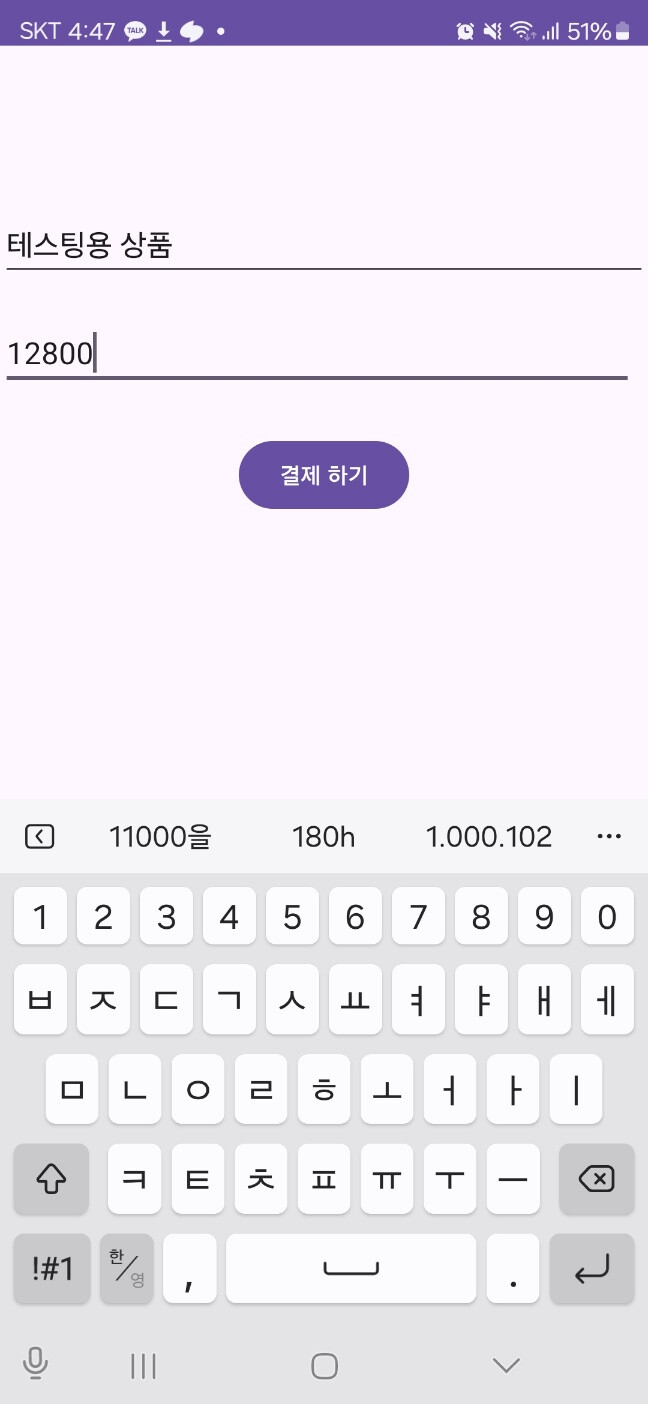
다음과 같이 이름과 가격을 입력받습니다.
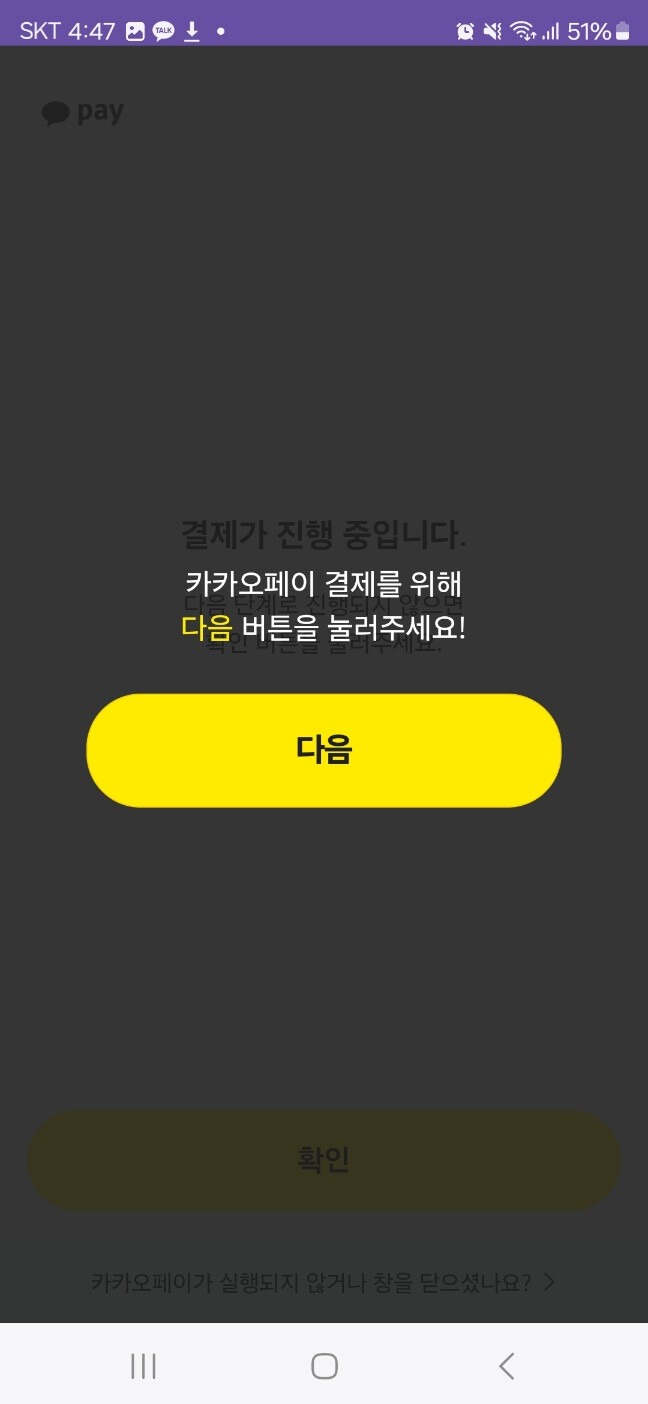
입력 이후 결제하기 버튼 누를시 웹뷰에서 카카오페이 결제 이동 창이 뜹니다.
이때 다음 버튼을 누를 시 카카오페이로 이동 없이
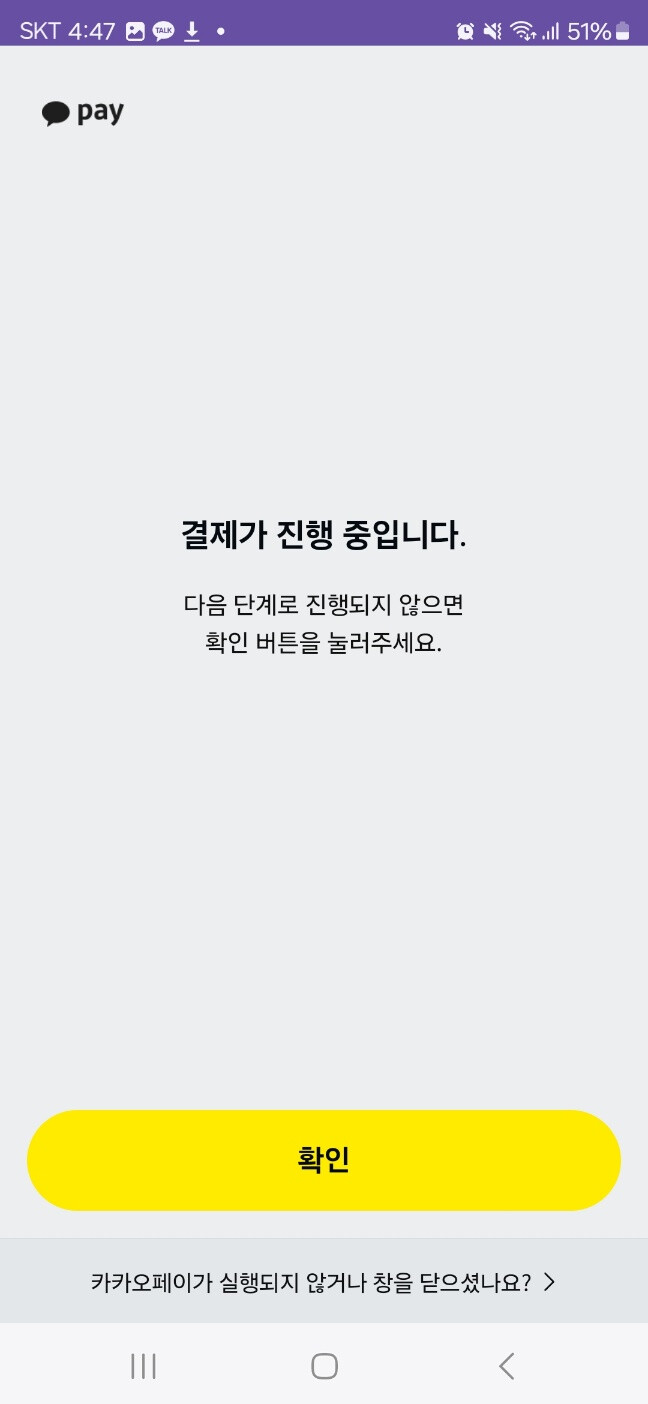
바로 결제가 진행중입니다.-창으로 전환되며
하단의 ‘카카오페이가 실행되지 않거나 창을 닫으셨나요?’ 버튼 또한 작동하지 않습니다.
코드에 익숙치 않아 인터넷에서 본 내용들로 어떻게 만들기는 하였는데 정작 가장 중요한 결제 창이 뜨질 앟습니다.
무엇이 문제일까요?
문서 내 예제만으로는 이해에 어려움 있어 kyh0106855@gmail.com 으로 참고예제를 확인하고 싶습니다.
부탁드리겠습니다.